Medical Claims Management Software: How It Improves Claims Processing
What you need to know
Rejected claims and delayed payments can create a frustrating cycle for medical practices. A claim is submitted, something is flagged, staff investigate the problem, information is corrected and the claim is submitted again.
The more often this happens, the more time your team spends chasing claims instead of managing the practice.
Medical claims management software can help break that cycle by identifying potential errors earlier, streamlining claim submission, tracking responses and making rejected claims easier to resolve.
Why do medical claims get rejected?
Not every rejection is caused by a problem with the medical service itself.
Many claim issues come from administrative or data errors that could potentially have been identified before submission.
Common examples include:
- Incorrect membership or dependant details
- Incorrect patient information
- Provider or practice number errors
- Incorrect or incomplete coding
- Benefit limitations
- Missing authorisation or referral information
- Duplicate claims
- Incorrect tariff information
- Claims submitted with missing information
When these issues are discovered only after submission, someone has to investigate the rejection, correct the information and resubmit the claim.
That takes time.
The aim of good claims management is therefore not simply to deal with rejected claims faster. It is to prevent as many avoidable rejections as possible.
From reactive claims management to proactive claims management
A traditional claims workflow can look something like this:
Submit → Rejection → Investigate → Correct → Resubmit
The problem is that the error has already reached the claims process before anyone deals with it.
A more proactive approach looks like:
Check → Identify risk → Correct → Submit
Medical claims management software can support this approach by bringing validation and relevant checks into the claims workflow.
The result is a process where staff have an opportunity to address potential problems before they become rejected claims.
1. Catching errors before submission
One of the biggest advantages of claims management software is the ability to check information before a claim is submitted.
A small error in a membership number, dependant code, provider number or billing detail can create unnecessary work later.
Pre-submission checks can help practices identify information that may cause problems.
This is particularly useful when a practice processes a large number of claims. Even if only a small percentage contain errors, those individual problems can quickly add up.
Instead of finding errors one claim at a time after submission, practices can build checks into the process from the beginning.
2. Improving patient and membership information
Accurate patient information is essential to the claims process.
If information captured by the practice does not match the information held by the relevant medical scheme, the claim may encounter problems.
This can happen when:
- A membership number is entered incorrectly
- A dependant code is wrong
- A patient’s details have changed
- Information was captured manually
- Staff are working from outdated records
Good claims management starts before the claim is even created.
Keeping patient information accurate and making relevant checks part of the normal workflow can reduce avoidable errors and prevent staff from having to correct the same problems repeatedly.
3. Supporting accurate coding
Coding is another area where errors can affect claims.
The information attached to a claim needs to accurately reflect the services provided and meet the relevant requirements.
In the South African healthcare environment, practices may need to work with ICD-10 codes, procedure codes and applicable tariff information.
A claims management system can help staff work with the correct information and identify potential inconsistencies before submission.
The benefit is not just fewer rejected claims. Better coding and billing accuracy can also make the claims process easier to manage overall.
4. Checking benefits and eligibility
A claim can be correctly captured and still not be paid in the way a practice expects.
The patient’s available benefits, plan rules and other requirements can affect what the medical scheme will cover.
Where eligibility and benefit information can be checked as part of the practice workflow, staff can have a better understanding of what may be payable before the claim is submitted.
This can also help practices communicate potential patient portions earlier rather than discovering an unexpected amount after the claim has been processed.
5. Reducing duplicate claims
Duplicate submissions can create unnecessary complications.
If staff cannot easily see whether a claim has already been submitted, they may send it again because they believe the original claim was unsuccessful or was never received.
A central claims history makes it easier to see what has already been submitted and what happened afterwards.
This gives staff greater visibility and reduces the risk of repeatedly submitting the same claim.
6. Making electronic submission easier
Once a claim has been prepared and checked, it needs to reach the relevant medical scheme administrator.
Claims switches play an important role in this process by providing the electronic connection between practices and scheme administrators.
Good claims software can make this part of the workflow easier by connecting submission and response information within the practice’s broader system.
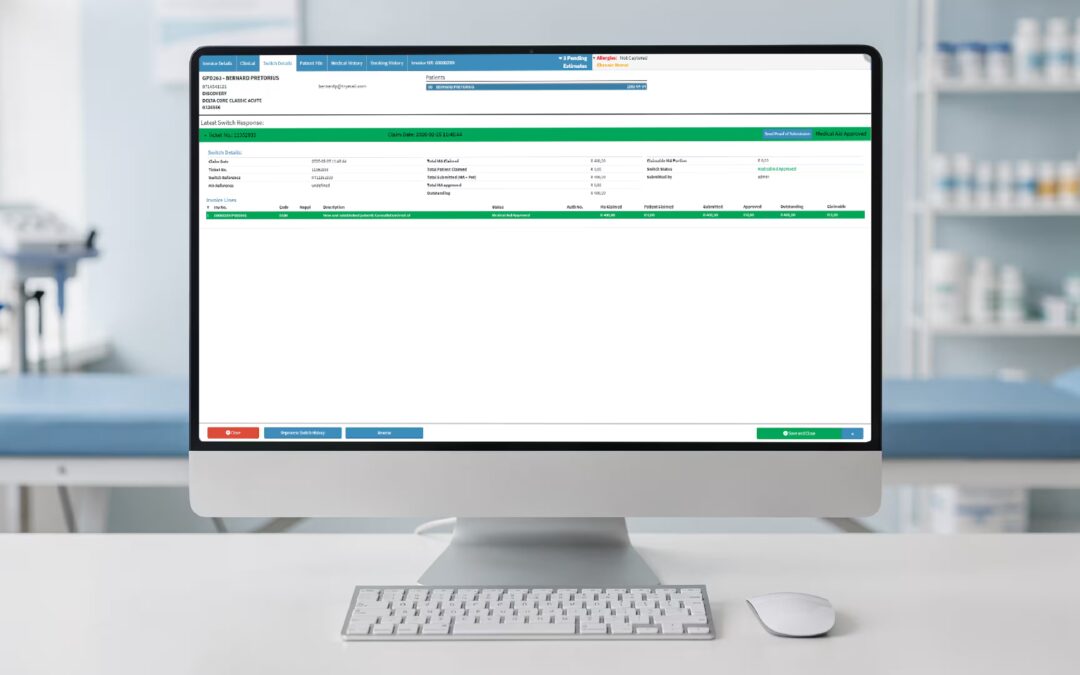
Instead of staff having to manually keep track of submissions in different places, they can have a clearer record of what has been sent and what response was received.
Real-time vs batch submissions
The timing of a claim response can make a difference to practice administration.
Real-time submission
Real-time submission sends the claim electronically and can return a response shortly afterwards.
This can give the practice earlier visibility into whether there is a problem with the claim and, depending on the workflow, what amount may need to be collected from the patient.
The earlier an issue is identified, the earlier it can be addressed.
Batch submission
Batch submission groups multiple claims together before they are sent.
This can be practical for processing large volumes, but the practice may not receive responses until later.
That means problems may only become visible after the patient has left the practice.
Both approaches have a place. What matters is choosing a workflow that gives your team sufficient visibility and does not create unnecessary delays.
7. Making rejected claims easier to manage
Even with good validation, some claims will still be rejected.
The important thing is what happens next.
Without a structured process, rejected claims can end up sitting in inboxes, spreadsheets or shared worklists with no clear owner.
Claims management software can make rejected claims easier to identify and organise.
A practical workflow is:
Identify → Assign → Correct → Resubmit → Track
Staff can see which claims require attention, why they were rejected and what action needs to be taken.
This reduces the chance of rejected claims being forgotten.
8. Finding recurring rejection problems
A single rejected claim is a problem.
The same rejection happening repeatedly is a process problem.
Claims management software can provide reporting that helps practices identify patterns in their rejected claims.
For example, if a practice notices that a large number of claims are being rejected because of incorrect patient information, it may need to improve the information captured during registration.
If coding-related rejections are common, the practice may need to review its coding workflow.
This changes the focus from:
“How do we fix this claim?”
to:
“Why does this keep happening?”
That distinction can have a significant impact on the number of claims that require manual intervention.
9. Tracking claims after submission
Submitting a claim does not mean the work is finished.
Practices also need to know what happened to that claim.
A useful claims management system should make it easier to track:
- Submitted claims
- Accepted claims
- Rejected claims
- Claims requiring attention
- Resubmitted claims
- Outstanding amounts
- Payments received
Without this visibility, it is difficult to know which claims are still outstanding.
A practice may have thousands of rand sitting in unresolved claims without immediately realising where the problem lies.
10. Faster resolution means fewer delays
The longer a rejected claim remains unresolved, the longer payment can take.
That is why claims management needs to focus on both accuracy and speed.
A good system helps staff move through the process without unnecessary steps:
Claim submitted → Response received → Problem identified → Correction made → Claim resubmitted → Payment tracked
The fewer disconnected systems and manual processes involved, the easier it becomes to keep claims moving.
11. Reconciliation helps close the loop
A claim is not truly finished when payment arrives.
The practice needs to know whether the payment matches what was expected and whether any amount remains outstanding.
Regular reconciliation can help identify discrepancies between invoices, claim responses and payments.
This gives practices a clearer picture of their accounts and helps prevent outstanding amounts from being overlooked.
Rather than waiting until the end of the month to discover problems, practices can monitor their claims and payments throughout the billing cycle.
Why integration matters
Claims management works best when it is connected to the rest of the practice workflow.
Consider the amount of information involved:
Patient details → Appointment → Consultation → Coding → Invoice → Claim → Response → Payment
If every stage happens in a different system, staff may have to repeatedly enter or transfer information.
That creates more opportunities for errors.
Integrated practice software can reduce unnecessary duplication by keeping important information connected.
For a practice, the question should therefore not simply be:
“Does this software manage claims?”
It should be:
“Does it fit into the way we already manage patients, consultations, billing and payments?”
What should you look for in medical claims management software?
When comparing systems, focus on the features that can actually improve your claims workflow.
Claim validation
Look for tools that can identify potential errors before submission.
Claims switch connectivity
The system should support the electronic claims process required by your practice.
Rejection management
Staff should be able to quickly identify rejected claims and understand what needs attention.
Claim tracking
You should have a clear view of the status of submitted claims.
Reporting
Reporting can help identify rejection patterns, outstanding claims and other areas that require attention.
Coding and tariff support
The software should support the coding and tariff requirements relevant to your practice.
Reconciliation
Look for tools that help connect claims, invoices and payments.
Integration
Claims should fit into your broader practice management workflow rather than operating as a disconnected process.
Security
Healthcare software handles sensitive patient information, so appropriate security and access controls are essential.
Medical claims management for smaller practices
Claims problems are not only an issue for large practices.
Smaller practices may actually feel the impact more because they often have fewer people handling administration.
One rejected claim might not seem significant. But when staff are dealing with dozens of corrections every week, the time adds up.
Reducing unnecessary claims administration can give smaller teams more time to focus on:
- Patients
- Practice administration
- Medical aid follow-ups
- Accounts
- Patient communication
The goal is not to remove staff from the claims process completely.
It is to give them better tools so that their time is spent solving the claims that genuinely need attention rather than fixing avoidable errors.
How GoodX can help
GoodX is healthcare practice management software designed for the South African healthcare environment.
By bringing practice administration, billing and claims-related workflows together, GoodX can help practices manage the journey from patient information and consultation through to billing, claims and payment.
The benefit of an integrated approach is visibility.
Instead of asking:
“Did this claim get submitted?”
“Why was it rejected?”
“Has it been paid?”
“What is still outstanding?”
your team can work from a connected system designed to make those answers easier to find.
The aim is straightforward: reduce unnecessary claims administration and help practices keep their billing cycle moving.
A practical way to improve your claims process
You do not necessarily need to change everything at once.
Start by looking at where claims are currently getting stuck.
Step 1: Find your biggest rejection reasons
Review rejected claims and identify the most common problems.
Step 2: Look at where the errors begin
Determine whether the problem starts during registration, consultation, coding, billing or submission.
Step 3: Improve the capture process
Put checks in place to prevent common errors from reaching the claims stage.
Step 4: Give rejected claims clear ownership
Make sure someone is responsible for investigating and resolving outstanding claims.
Step 5: Track the results
Monitor rejection rates, outstanding claims and payment times to see whether the changes are working.
This creates a continuous improvement cycle rather than treating every rejection as an isolated incident.
The bottom line
Medical claims management software can help practices move away from a reactive claims process where problems are discovered only after submission.
By validating information, supporting accurate coding, simplifying electronic submission, tracking responses and organising rejected claims, the right system can help reduce avoidable rejections and keep claims moving.
The biggest improvement often comes from connecting the entire process:
Capture accurately → Check → Submit → Track → Resolve → Reconcile
When claims management becomes part of the practice’s everyday workflow rather than a separate administrative task, your team can spend less time chasing problems and more time keeping the practice running efficiently.
Frequently asked questions
What is medical claims management software?
Medical claims management software helps practices prepare, validate, submit, track and reconcile healthcare claims. It can also help staff manage rejected claims and identify recurring problems.
How does medical claims management software reduce claim rejections?
It can identify potential errors before submission, support accurate coding and patient information, reduce duplicate submissions and make it easier to correct recurring problems.
What causes medical aid claims to be rejected?
Common causes include incorrect membership information, benefit limitations, coding errors, provider or practice number issues, missing information and duplicate submissions.
What is a claims switch?
A claims switch acts as an electronic intermediary between a healthcare practice and medical scheme administrators, transmitting claims and returning responses.
Can claims management software speed up payments?
It can help reduce delays by identifying errors earlier, supporting faster submission, making rejected claims easier to resolve and improving visibility over outstanding claims.
Why is claims reconciliation important?
Reconciliation helps practices compare claims, responses, invoices and payments so that discrepancies and outstanding amounts can be identified rather than overlooked.
Contact our team to book your free GoodX demo.
Disclaimer: This article is provided for general informational and educational purposes only. While GoodX Software takes reasonable care to ensure that the information is accurate and current at the time of publication, laws, regulations, industry standards, healthcare policies and technology may change. The content should not be regarded as medical, legal, financial or other professional advice. Readers should verify information relevant to their circumstances and consult an appropriately qualified professional where necessary. GoodX Software accepts no responsibility for decisions made or actions taken solely on the basis of this content.