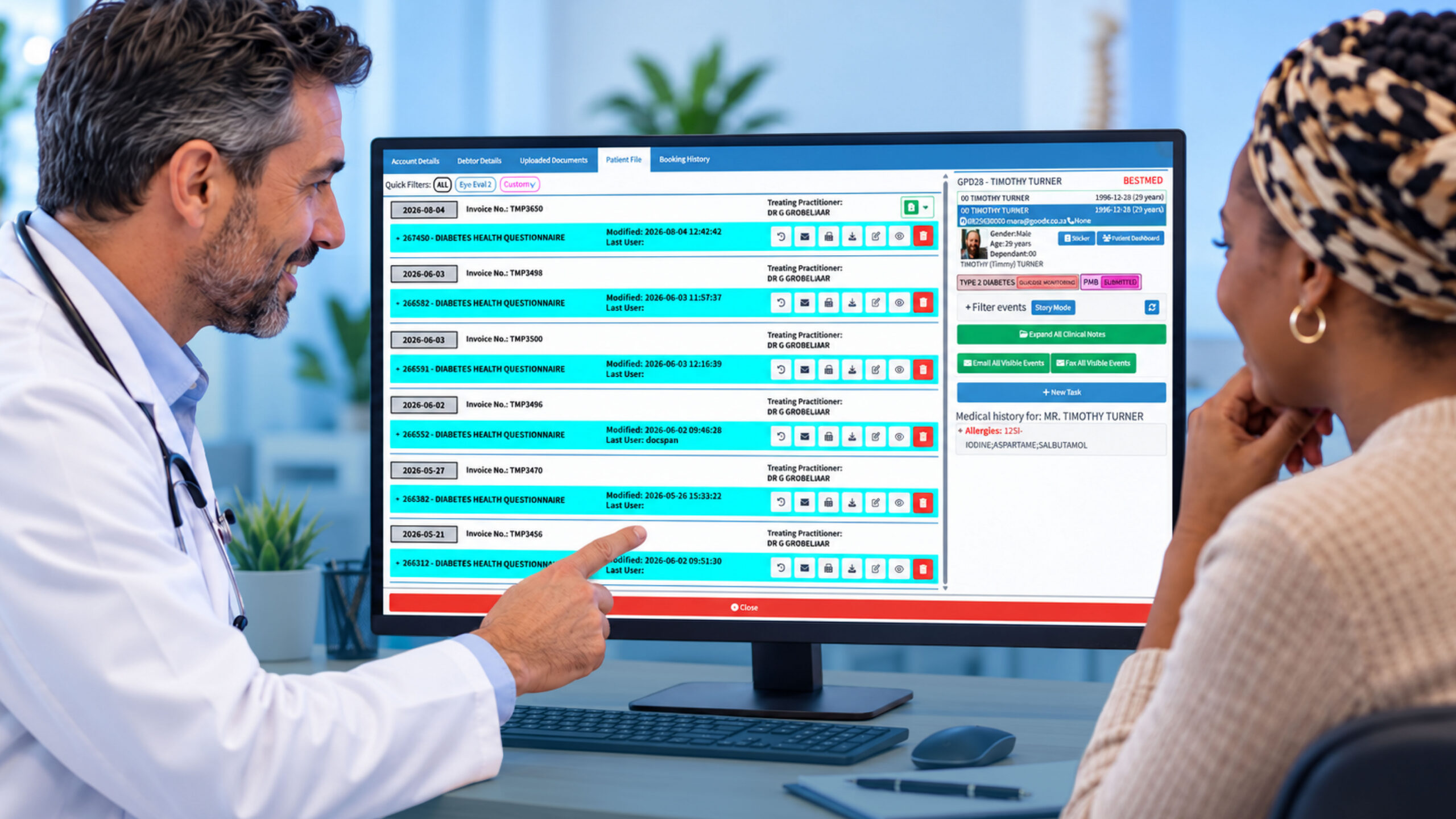
Patient Portal Software: A Guide for South African Medical Practices
Patient portal software gives patients a secure way to interact with a medical practice online. Depending on the system, patients can use a portal to manage appointments, complete forms, view health information, communicate with their practice and access important documents.
For South African medical practices, the right patient portal can do more than improve convenience. It can reduce repetitive administrative work, make communication easier and give patients a simpler way to stay connected with their healthcare provider.
What is patient portal software?
Patient portal software is a digital platform that allows patients to access selected healthcare services and information online.
Instead of relying entirely on phone calls, emails or in-person visits, patients can log into a secure portal and complete certain tasks themselves. The exact features depend on the software and how the practice has configured it.
A patient portal may allow patients to:
- View upcoming appointments
- Request or manage appointments
- Complete forms before a consultation
- Access selected medical information
- View test results when made available
- Send secure messages to the practice
- Download documents and statements
- Update personal information
- Receive appointment reminders and notifications
For a practice, this creates another communication channel that works alongside the existing practice management and clinical workflows.
Why are patient portals becoming important for medical practices?
Patients are already accustomed to managing many everyday services online. They bank, shop, communicate and make bookings from their phones. Healthcare is increasingly moving in the same direction.
For medical practices, however, the benefit is not simply giving patients another way to book an appointment.
A well-designed portal can move routine administrative tasks away from the reception desk. Patients can complete information before arriving, check appointment details without calling and access information that the practice has chosen to make available to them.
That can mean fewer interruptions for reception staff and more time to focus on patients who need direct assistance.
For smaller practices in particular, where a few staff members may handle most administrative responsibilities, removing even some repetitive tasks can make a noticeable difference.
What can patients do with patient portal software?
The features available will vary between platforms, but there are several functions that are particularly useful in a medical practice.
1. Manage appointments online
Appointment management is one of the most practical uses of a patient portal.
Depending on the system, patients may be able to see available appointments, request a booking, confirm an appointment or reschedule when necessary.
This reduces the need for patients to phone the practice for every change and gives reception staff fewer routine booking requests to handle.
Online appointment access can also be useful outside normal practice hours. A patient who remembers they need a follow-up appointment in the evening does not necessarily have to wait until the next morning to contact the practice.
2. Complete patient forms before a visit
Paper forms can take up valuable time at reception.
Patient portal software can allow practices to send forms or questionnaires to patients before their appointment. Patients can complete the required information from their phone, tablet or computer.
This can help practices:
- Reduce paperwork
- Capture information before the appointment
- Reduce manual data entry
- Give patients more time to provide accurate information
- Make the check-in process more efficient
It also gives staff an opportunity to review information before the patient arrives, where the practice’s workflow supports this.
3. Access test results and health information
Another important portal feature is giving patients access to information from their care.
A practice may choose to make certain test results, documents, visit information or other records available through the portal.
Having this information available online can reduce calls from patients asking whether results are ready or requesting copies of documents.
However, access to information should still be accompanied by appropriate clinical communication. A patient seeing a result online does not necessarily mean they understand what it means.
Medical information can require context, and patients should be able to contact their healthcare provider when they need clarification.
4. Communicate with the practice
Secure messaging gives patients another way to contact their healthcare provider for routine matters.
For example, a patient might need to ask about:
- Follow-up instructions
- Appointment preparation
- A routine administrative question
- Documentation
- Prescription-related requests
- A non-urgent concern
This can be more organised than relying on ordinary email or repeated telephone calls.
It is important, however, that patients understand that portal messaging is generally intended for non-urgent communication. A portal should not replace emergency medical care or immediate contact with a healthcare professional when a situation requires urgent attention.
Patient portal software can reduce administrative pressure
One of the biggest advantages for a practice is the potential reduction in repetitive administrative work.
Think about how many times reception staff may have to answer questions such as:
“What time is my appointment?”
“Can I move my appointment?”
“Has my form been received?”
“Can you send me that document?”
“Is my result available?”
Not every request requires a member of staff to spend several minutes on the phone.
When suitable tasks can be handled through a patient portal, staff can spend more time on work that requires their attention.
This does not mean eliminating personal communication. Instead, it gives patients another option for straightforward tasks while allowing staff to focus on patients who need direct assistance.
Patient portals and online appointment booking
Online booking and patient portals often work well together.
An online booking system can provide the initial point of contact, allowing a patient to find and request an appointment. The patient portal can then become the place where they manage other parts of that interaction.
For example:
Book → Confirm → Complete forms → Attend appointment → Receive follow-up information
This creates a more connected patient journey instead of treating every step as a separate administrative process.
For practices, the goal is not simply to add more technology. The goal is to make the existing workflow easier for both patients and staff.
Mobile access matters
A patient portal that works well on a desktop computer but is difficult to use on a phone can quickly become frustrating.
Patients should be able to access important features from the devices they already use.
A good mobile experience should make it easy to:
- Log in securely
- View appointments
- Complete forms
- Read messages
- Access available documents
- Navigate between different sections
This is particularly important for practices serving busy patients who may not have time to sit at a computer.
Security and POPIA considerations
Medical practices deal with sensitive personal information, so security should be a major consideration when choosing patient portal software.
In South Africa, practices also need to consider their obligations under the Protection of Personal Information Act (POPIA).
A patient portal should therefore be designed with appropriate safeguards around access to personal and health information.
Practices should consider features and processes such as:
- Secure authentication
- Appropriate access controls
- Protection of information during transmission
- User permissions
- Audit trails where applicable
- Secure handling of patient information
- Clear consent and privacy processes
Security is not something that should be added after a portal has been implemented. It needs to be considered as part of the system from the beginning.
Integration with practice management software
A patient portal becomes much more useful when it works alongside the systems a practice already uses.
If a portal operates completely separately from practice management software, staff may end up copying information between systems. That can create more work instead of reducing it.
Integration can help connect areas such as:
Patients → Appointments → Clinical information → Billing → Communication
For a South African practice, it is therefore worth asking how the portal will fit into the practice’s existing technology before choosing a solution.
The best system is not necessarily the one with the longest list of features. It is the one that fits naturally into the way the practice operates.
What should South African practices look for?
When comparing patient portal software, practices should consider more than appearance and functionality.
Ease of use
Patients should be able to understand how to use the portal without extensive instructions. Staff should also be able to manage it without creating another complicated administrative process.
Mobile compatibility
The portal should work properly across smartphones, tablets and computers.
Appointment management
Look for functionality that supports the practice’s actual appointment workflow, including booking, changes and notifications where appropriate.
Secure communication
If the practice wants to communicate with patients digitally, secure messaging can provide a more appropriate channel for routine healthcare communication.
Patient forms
Digital forms can reduce paperwork and help practices collect information before appointments.
Practice management integration
Check whether the portal can connect with the practice’s existing software and workflows.
Security and privacy
Make sure patient information is protected and that the system supports the practice’s privacy and compliance requirements.
Patient support
Consider what happens when a patient cannot log in, has trouble accessing information or needs assistance using the system.
The benefits for smaller medical practices
Patient portal software is not only useful for large hospitals and healthcare groups.
Smaller practices can benefit significantly because they often operate with fewer administrative resources.
A portal can help a small practice:
- Reduce unnecessary phone calls
- Make appointment management easier
- Reduce paperwork
- Improve access to information
- Give patients more control over routine tasks
- Create a more convenient patient experience
- Free staff to focus on higher-value administrative work
The important point is to implement technology that solves real problems.
A portal should not be introduced simply because digital healthcare is becoming more popular. It should make something easier, faster or more accessible for the practice and its patients.
Patient portal software should support the whole practice
The most useful patient portals are not simply patient-facing websites. They form part of the broader digital workflow of the practice.
A patient may start by booking an appointment online. They could then complete their information before arriving, receive appointment notifications, attend the consultation and later access information or follow-up communication through the same digital environment.
For the practice, this can create a more connected process:
Appointment → registration → consultation → documentation → billing → follow-up
When these processes work together, there is less need for staff to manually move information from one step to another.
How GoodX can fit into the picture
For South African medical practices, patient portal software should complement the systems already used to manage the practice.
GoodX provides healthcare software designed around the needs of South African healthcare professionals, helping practices manage the administrative and financial side of their operations.
When patient-facing technology works alongside practice management software, the result can be a more connected workflow — from the patient’s first interaction with the practice through to ongoing administration and follow-up.
The objective is not to replace the human side of healthcare. It is to remove some of the unnecessary administrative friction around it.
Making the right choice
Patient portal software can give South African medical practices a practical way to improve how patients interact with their practice.
From online appointments and digital forms to secure messaging and access to selected health information, the right portal can make routine interactions easier for patients while reducing some of the administrative pressure on practice staff.
The key is choosing a solution that is secure, easy to use, mobile-friendly and properly connected to the practice’s existing workflow.
For a medical practice considering its next step in digital healthcare, a patient portal can be a useful part of building a more connected and efficient patient experience.
See it running with your kind of day. Contact our team to book your free GoodX demo.
Disclaimer: This article is provided for general informational and educational purposes only. While GoodX Software takes reasonable care to ensure that the information is accurate and current at the time of publication, laws, regulations, industry standards, healthcare policies and technology may change. The content should not be regarded as medical, legal, financial or other professional advice. Readers should verify information relevant to their circumstances and consult an appropriately qualified professional where necessary. GoodX Software accepts no responsibility for decisions made or actions taken solely on the basis of this content.